Well, afternoon everyone :)
I know I said I'd be on yesterday with a tutorial, but that didn't actually work out as planned. Something funky happened with my laptop and it wouldn't start up all the way & crashed. It took me all day to figure out the problem and late last night I fixed it, yay!
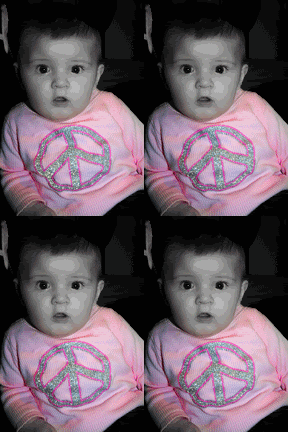
Aaannnnnd, I know I told ya I'd give ya a tutorial, but how bout an action instead? Yes? Ok, good! This is one I made for an effect I use myself a lot! I love it really. What it does is it turns your image black & white and gives you two layers of softness, "Soft" & "Extra Soft", just by turning their visability on & off. This action uses gaussian blur filters, where they are set for high resolution images, but there are directions within the action that tells you what to do for a low res picture as well. I hope you enjoy playing with this one like I do! Oh, and also, I made this action in PS7 so I'm not sure which PS programs it will all work in. Please lemme know in the comments below if it does/doesn't work for you. Thanks!
Click the image to download this PS .atn file!

P.S. I used some pictures of my lil sister as my example above. Isn't she gorgeous?